Introduction
Welcome to the world of IDRC which is broadening the boundaries of Alternative Dispute Resolution beyond the horizon and is bridging the gaps in the availability of institutional dispute resolution infra by way of technological innovation with the aid of new age IT tools.
Online hearing for Arbitration, Mediation or Conciliation is to be done only by those Persons or Organisations who have registered themselves with IDRC either as Arbitrator, Mediator or Conciliator, Advocate or Client.
Step 1:
On the date of hearing the Arbitrator (Mediator or Conciliator), Clients and their Advocates shall join the IDRC Virtual Hearing Room by logging into the VC link with secured password.
Step 2:
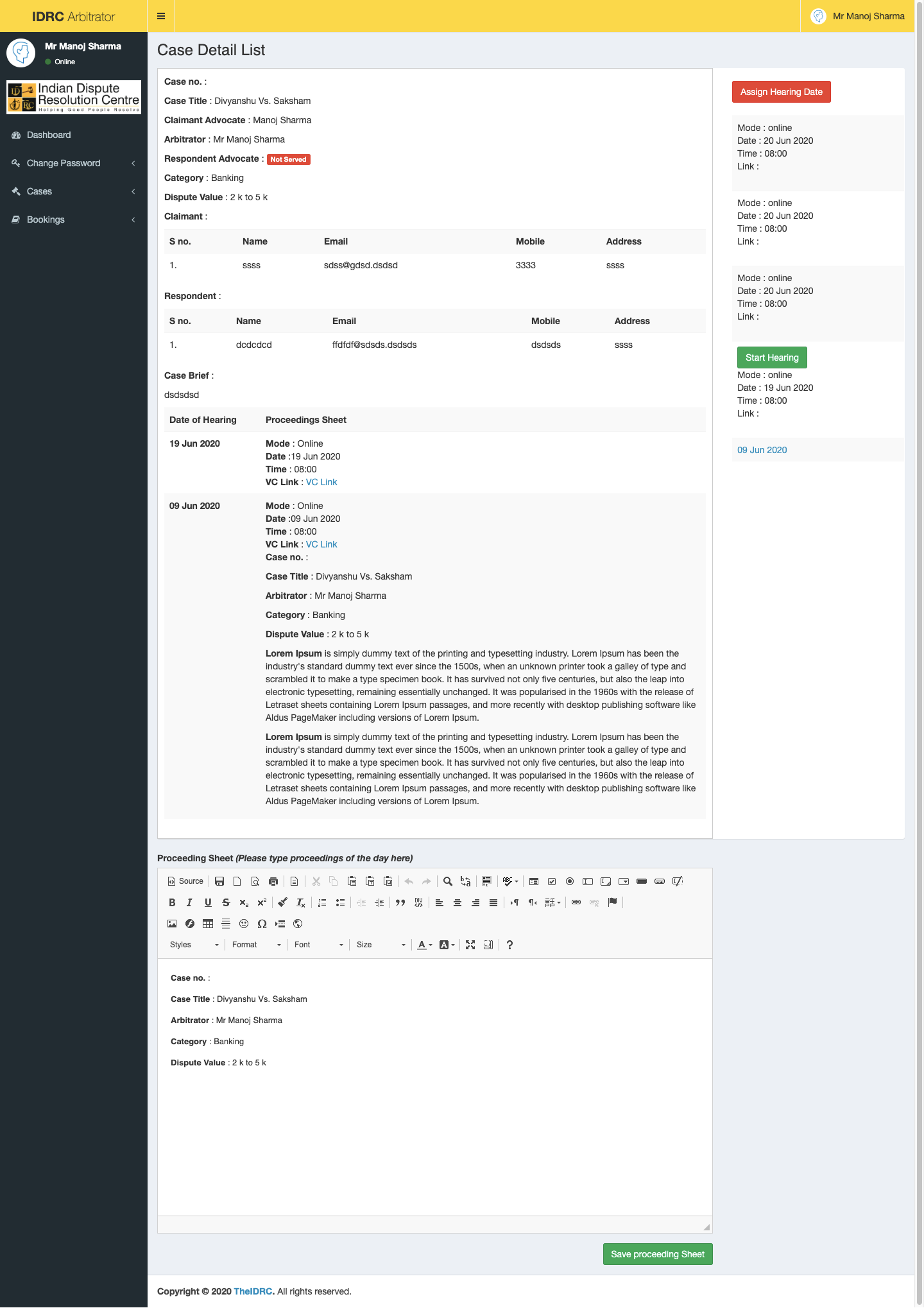
For carrying out an online hearing the Arbitrator (Mediator or Conciliator), Advocate and the Client can also Login into their account and reach their Case Page through their IDRC Dashboard.
Step 3:
Arbitrator (Mediator or Conciliator), Clients and their Advocates will be able to access the last Proceeding Sheet and the Casefile containing the Claim Petition, Reply and other documents any time during the hearing of their case from the IDRC Cloud.
Step 4:
All concerned can carry on with the day’s work and on completion of the same, the Arbitrator (Mediator or Conciliator) shall record the Proceeding Sheet for the day in the given text box and append digital signature on the same. Copy of the same can be shared with all concerned via email.
Step 5:
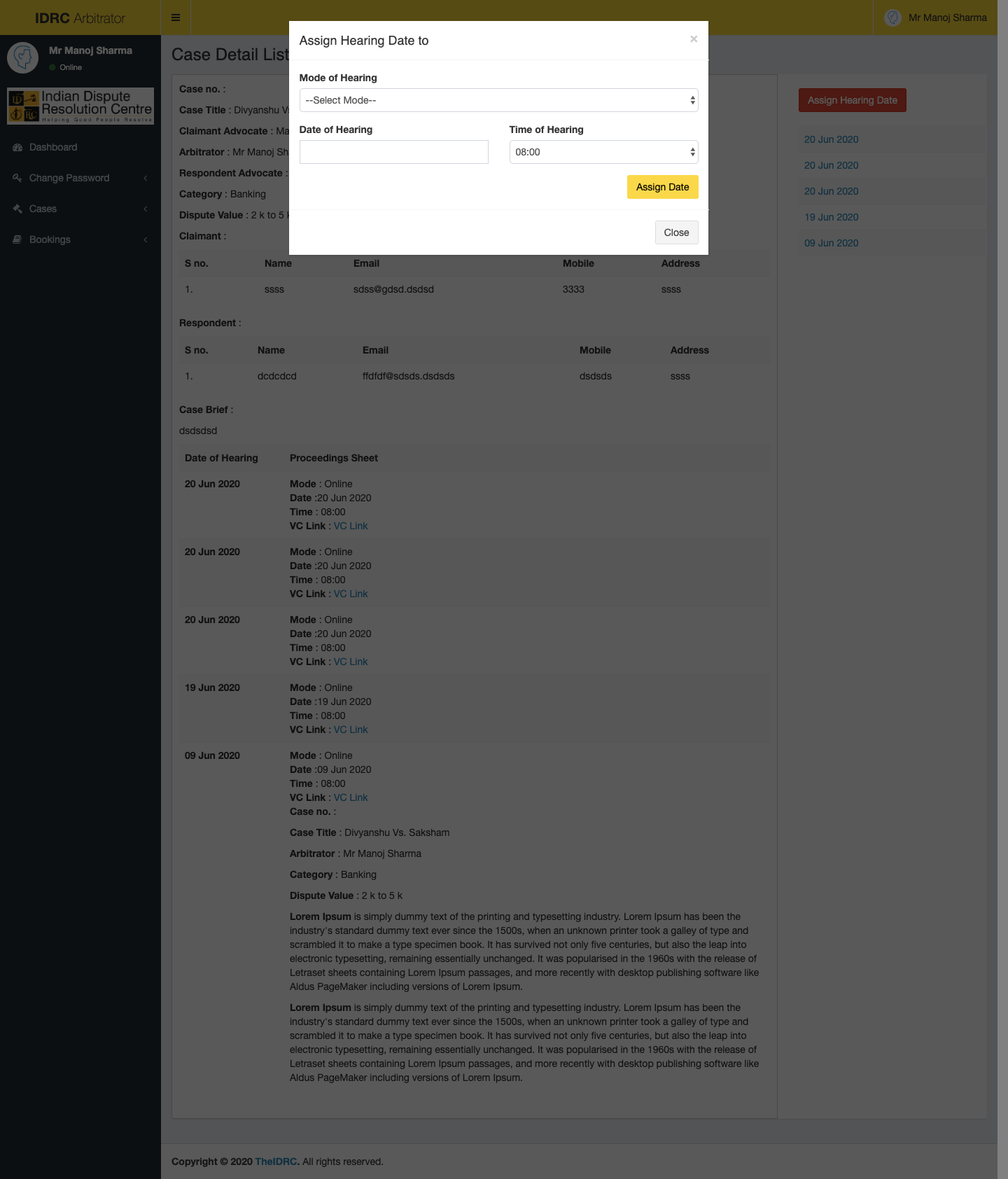
Upon conclusion of hearing the Arbitrator (Mediator or Conciliator) can fix the next date of hearing as per continence of the Parties through the IDRC Booking interface.
Step 6:
Upon conclusion of hearing of the matter can fix the next date of hearing as per convenience of the Parties through the IDRC Booking interface.
13.6 Add screen
Step 7:
Upon conclusion of hearing of the Arbitrator (Mediator or Conciliator) can pass the Arbitral Award or record the Mediated or Conciliated settlement in the Proceeding Sheet Box and append his/her signature on the same apart from obtaining signatures of the Parties and their Advocates. Copy of the same can be shared with all concerned via email.
13.7 Add screen
IDRC e-Arbitration
Business Friendly
Helps the parties resolve disputes without sacrificing the business relationship
Cost-efficient
By a speedy resolution the parties can focus on profitable business activities rather than spending time and money on litigation
Enforceable
The arbitral award is enforceable as a decree
Fast
A IDRC e-Arbitration is completed within prescribed time.
Paperless
The entire arbitration process is completed without a piece of paper being used.
IDRC e-Mediation
Business Friendly
Helps the parties resolve disputes without sacrificing the business relationship
Cost-efficient
By a speedy resolution the parties can focus on profitable business activities rather than spending time and money on dispute resolution
Fast
A IDRC e-Mediation is usually completed within a prescribed time.
Flexible
The parties are actively in control of the dispute resolution process.
Paperless
The entire mediation process is completed without a piece of paper being used.